
*What Can You Do With 3ds Max?
With this, the user can create animated individual characters and develop scenes with multiple people in it. The program has multiple animation controllers that can be created, modified, and even shared. Moreover, it supports 3D rendering characteristics. One of the main abilities of the program is that the users can view the rendering results without actually rendering the scene. This is achieved by starting the Active Shade Mode in the Program itself. The interface of the program is clear and user-friendly. The plugins can be used with great ease and without any lagging with render programs like V-ray and others
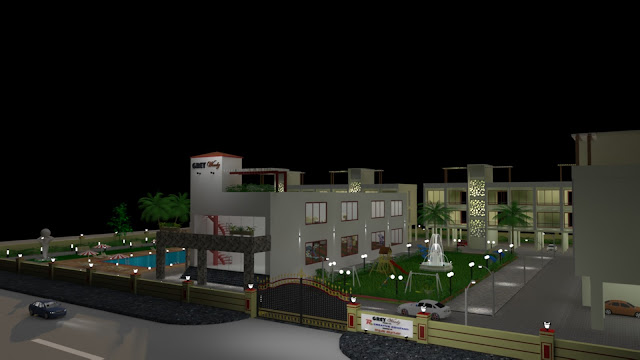

* 3 डी मॅक्ससह आपण काय करू शकता?
इसके साथ, उपयोगकर्ता एनिमेटेड व्यक्तिगत चरित्र बना सकता है और इसमें कई लोगों के साथ दृश्य विकसित कर सकता है। कार्यक्रम में कई एनीमेशन नियंत्रक हैं जिन्हें बनाया जा सकता है, संशोधित किया जा सकता है, और साझा भी किया जा सकता है। इसके अलावा, यह 3 डी प्रतिपादन विशेषताओं का समर्थन करता है। कार्यक्रम की मुख्य क्षमताओं में से एक यह है कि उपयोगकर्ता वास्तव में दृश्य को प्रस्तुत किए बिना प्रतिपादन परिणाम देख सकते हैं। यह प्रोग्राम में ही एक्टिव शेड मोड शुरू करके हासिल किया जाता है। कार्यक्रम का इंटरफ़ेस स्पष्ट और उपयोगकर्ता के अनुकूल है। प्लगइन्स का उपयोग बड़े आराम से और बिना किसी लैगिंग के रेंडर प्रोग्राम जैसे वी-रे और अन्य के साथ किया जा सकता है
* Working with 3ds Max ?
Working with 3ds Max will not be a simple task for a
beginner. Users who have previous knowledge of working with 3D software will
have an advantage. Although beginners will not require much time to study the
program. The Works paces, tools, commands, and interface are quite effortless.
The modeling, texturing, and rendering of models are aided with a robust set of
tools and functions that makes working simpler.
3ds मैक्स के साथ काम करना
3ds Max के साथ काम करना एक शुरुआती के लिए एक सरल कार्य नहीं होगा। जिन उपयोगकर्ताओं को 3D सॉफ़्टवेयर के साथ काम करने का पूर्व ज्ञान है, उन्हें एक फायदा होगा। हालांकि शुरुआती लोगों को कार्यक्रम का अध्ययन करने के लिए अधिक समय की आवश्यकता नहीं होगी। कार्यस्थान, उपकरण, कमांड और इंटरफ़ेस काफी सरल हैं। मॉडल के मॉडलिंग, टेक्सचरिंग और रेंडरिंग, टूल और फ़ंक्शंस के एक मजबूत सेट के साथ सहायता प्रदान करते हैं जो काम को सरल बनाता है।
Thank you Friends your next lecture see you soon.


No comments:
Post a Comment